
Before I stopped using antivirus software, I was really concerned about the security of my PC, since a lot of people believe that having antivirus software installed on your PC is necessary, especially if you are using the Windows operating system.
Later I realized that antivirus software has little to do with your PC's protection, and can instead use your PC for hidden business agendas. Most of my clients always complain about their PC lagging, and most of the time it gets better after uninstalling the antivirus software installed on their PC.
Disclaimer: This article is only based on my opinion and personal experience. You are free to agree or disagree. Always backup your files, whether you are using antivirus or not.
Things antivirus companies didn't tell us

In the first place, antivirus is software created specifically to help detect, prevent and remove malware (malicious software). Most antivirus software runs automatically in the background to provide real-time protection against virus attacks.
But beyond detecting viruses and malware, much of today's antivirus software includes other functions to generate ad revenue, product promotions, and more. In some cases, antivirus companies have even resorted to creating fake malware to improve their Malware ID stats and convince users to buy pro or premium versions for extra protection, especially if you are using free versions.
Now you know. But there are lots of ways to avoid your PC being infected, and this can be done by you. Yes, you. You don't need to pay a computer guru to do the task for you. You've heard it before: prevention is better than cure. You can avoid it before it damages your system.
4 Preventive ways to avoid computer viruses and malware without antivirus
1. Download apps only on their official websites
If you are trying to download your favorite app on your PC, don't just search for it and click the first link that appears in your Google search. For example, if you want to download VLC, then you must go to videolan.org to download it. Avoid downloading from third-party websites such as CNET, Filehorse and SourceForge, to name a few.
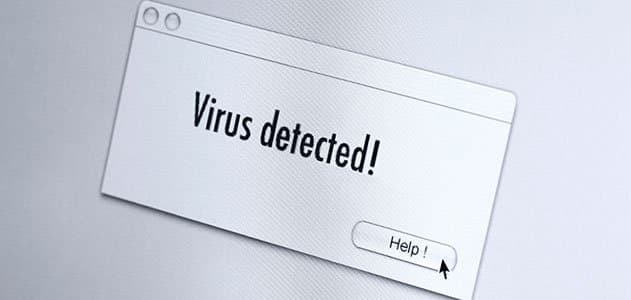
2. Do not click on popups
If you are browsing the web and something pops up on your screen saying "Your PC is infected," followed by links saying click here to remove viruses, DO NOT CLICK THAT LINK. Your PC is actually not infected, but it will be if you click the link and are reckless.
3. Do not download cracked apps
Some cracked apps downloaded from illegal sources like torrents are quite dangerous. Use original apps, or an alternative if you can't afford them. For example, instead of using a cracked PSD, try GIMP. It's free and safe.
4. Avoid clicking malicious links
If someone sends you emails that contain links for product promotions, do not click them. It is possible that viruses and malware will automatically install on your system once you click those links.
Conclusion
After knowing some truths behind antivirus software, it is you who will decide whether you will or will not continue using antivirus. It all starts with you. Always be vigilant to keep your PC smooth and virus free. Always backup your files to avoid being compromised, whatever happens to your PC.
Need help with your website or IT systems?
Book a free discovery call and let's talk about what TechzQuad can build for you.
Book a discovery call